How To Restart ColdFusion On Your VM
1. Open Services
You can access the Windows Services panel in one of the following ways:
-
Option 1:
In the Windows search bar (bottom-left of your VM), typeservicesand click Services.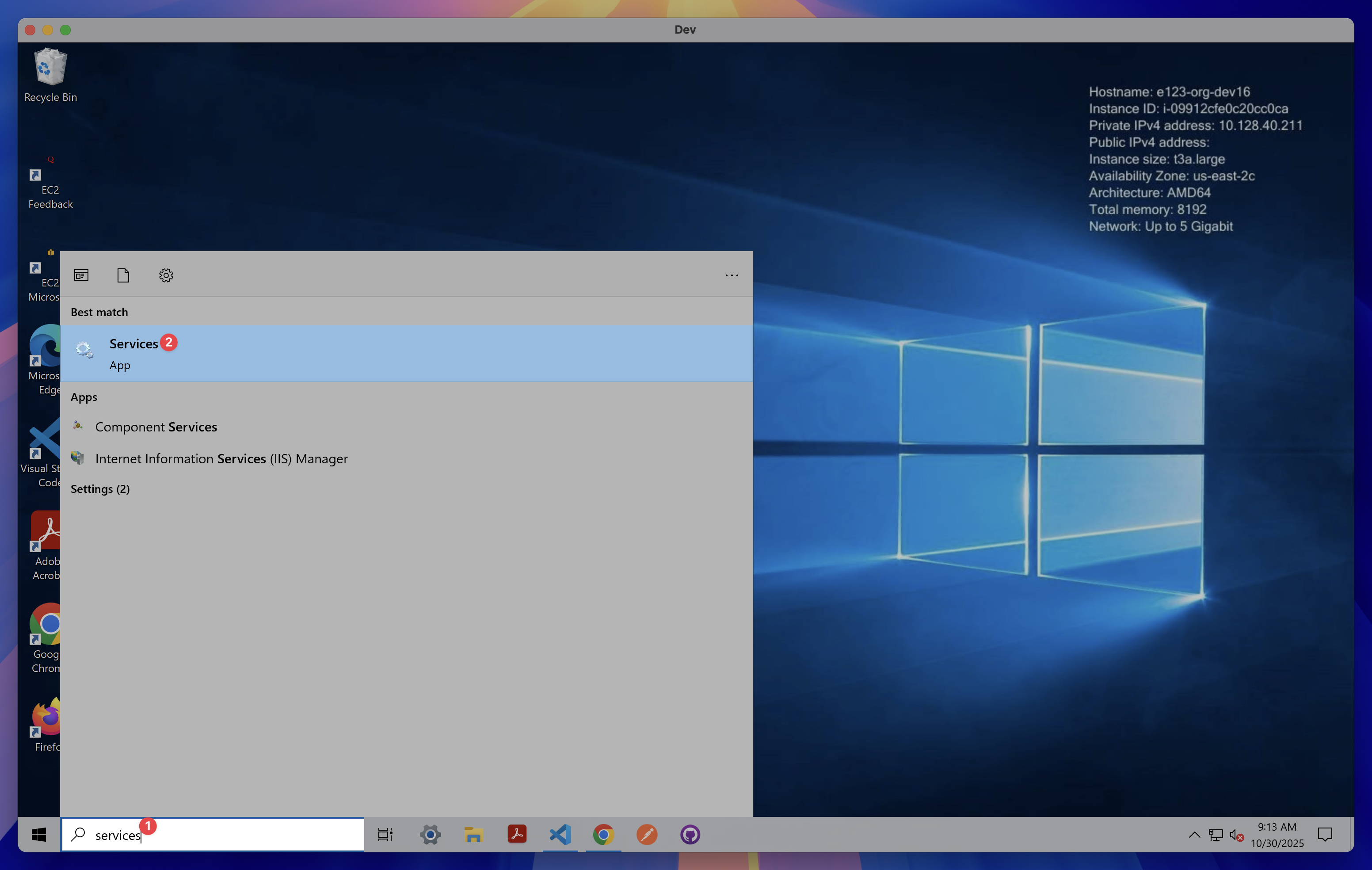
-
Option 2:
Press Windows Key + R, typeservices.msc, and click OK.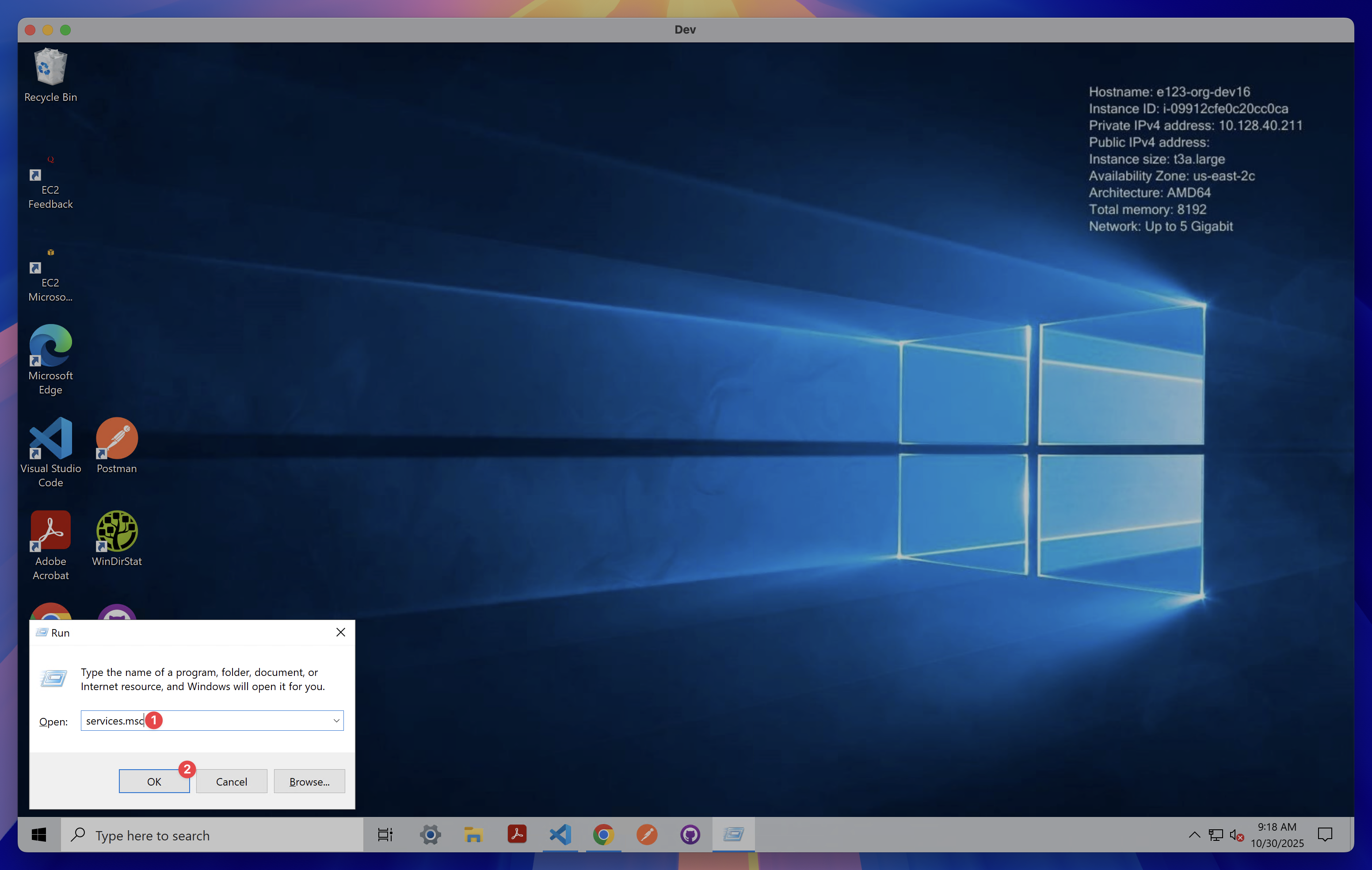
2. Locate the ColdFusion Service
In the Services list, scroll down and find:
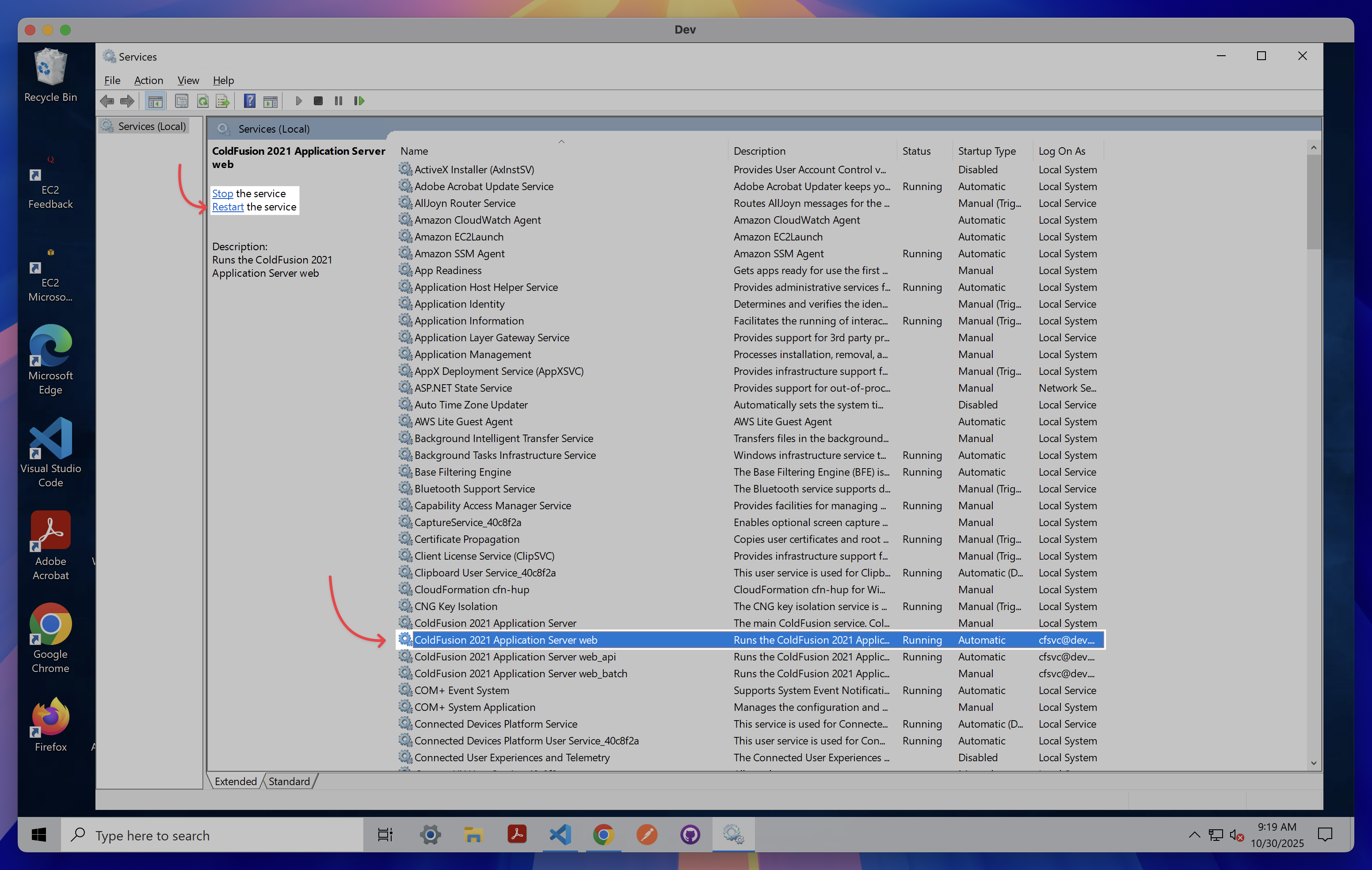
ColdFusion 2021 Application Server (web)
3. Restart the Service
You can restart the service using one of these methods:
-
Click Restart in the upper-left corner of the Services window.
OR -
Right-click ColdFusion 2021 Application Server (web) and select Restart.