How to Update Your Development Database
1. Access the ColdFusion Administrator site
Open your web browser and navigate to the following URL on your VM:
http://127.0.0.1:8501/CFIDE/administrator/index.cfm
2. Login
Use the credentials below to access the ColdFusion Administrator site:
-
Username:
Admin -
Password:
Ilovecf123!
Click Login to continue.
3. Navigate to the Data Source Configuration
-
In the left-hand menu, click
Data & Services. -
Under
Connected Data Sources, locate your development data source. -
In the
Actionscolumn, click the ✏️ (Edit) icon.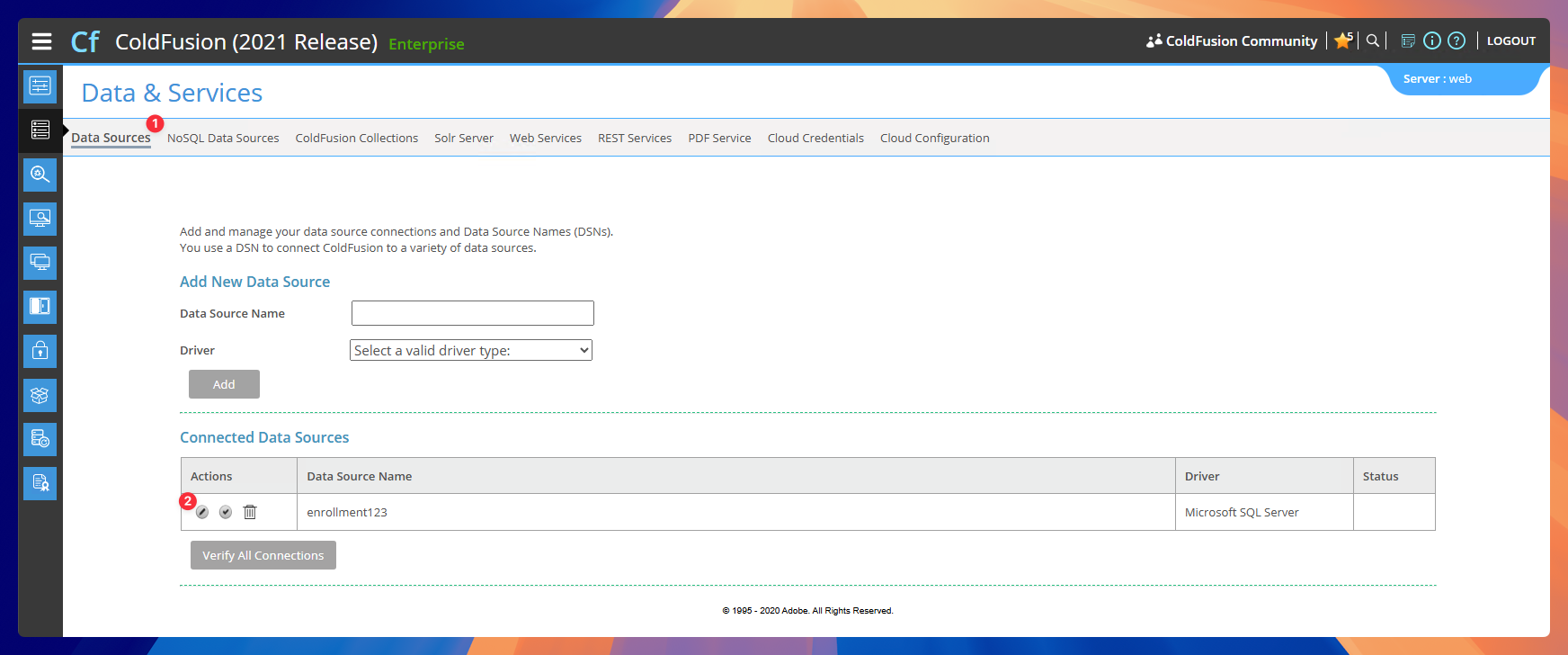
4. Update the Database Connection
- In the
Databasefield, update the value to the latest development database name.
Current database: enrollment123_oct2025

- Click Submit to save your changes
info
After updating your dev database, use password J8c8bj8c8b when logging into the back office. You will be prompted to update your password.